
Pairfold: Folder Sync and Mirror Backup for Mac
Pairfold keeps two folders in step on your Mac: a project folder and its copy on an external drive, a photo collection and its backup on a NAS, a music library on two disks. You pick two folders, read the preview of every change, and press Sync. Nothing is deleted outright: replaced and removed files go to an archive folder.
Download Pairfold (free) · Get it on the Mac App Store · USD 12.99 once, no subscription · macOS 26 or later
Two ways to get it:
- Download from this site, free to use. Preview and sync one folder pair by hand, with every safety feature, for as long as you like. A licence (USD 12.99 once, 2 Macs, a year of updates) adds more pairs, schedules and runs when a disk is connected.
- Mac App Store, USD 12.99 once. Everything included, no in-app purchase, updates through the App Store.
Pairfold collects no data. The download goes online only to check your licence and for updates; the App Store version has no network access of its own. Deutsch
What it does
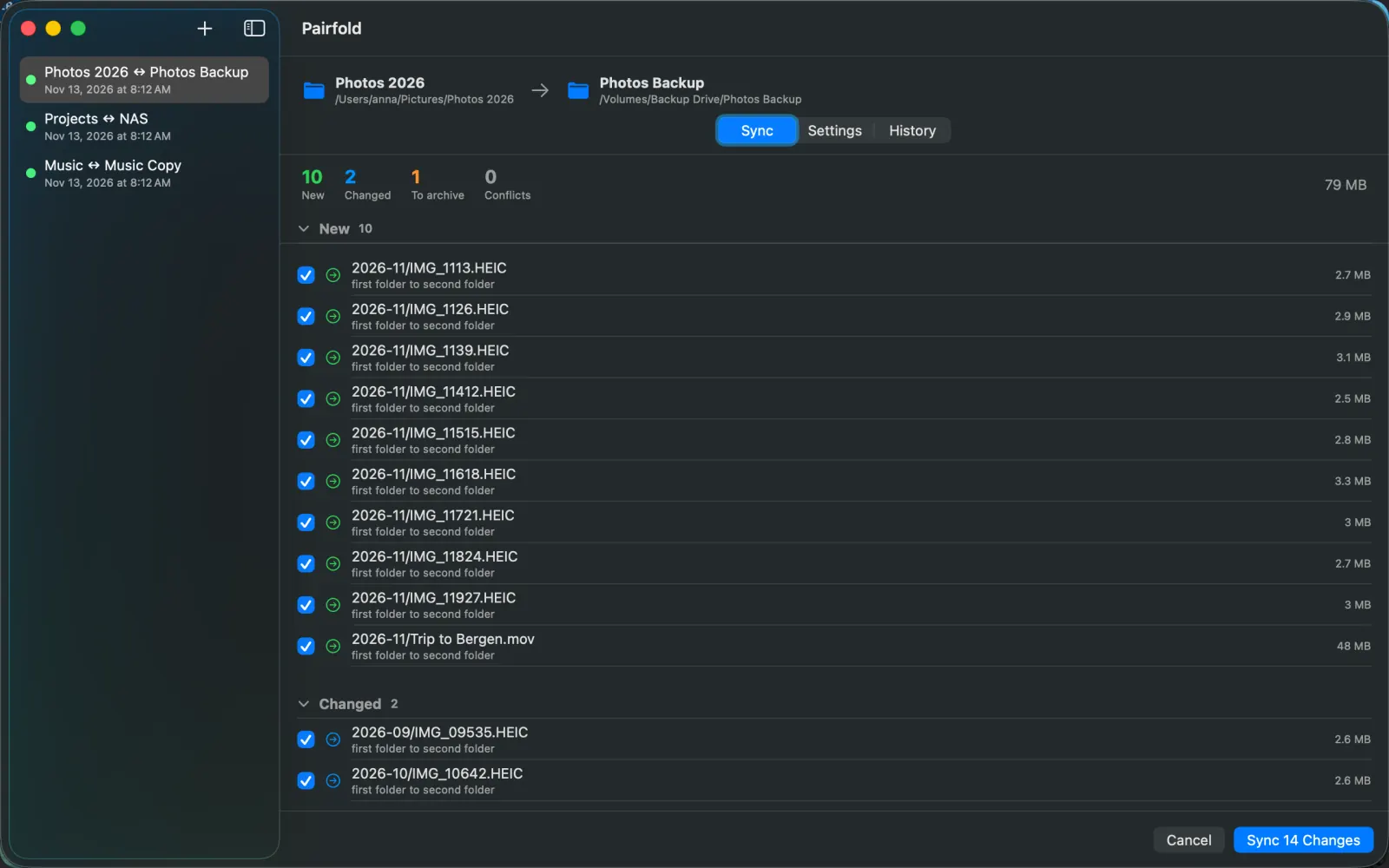
- Preview of every change. New, Changed, To archive and Conflicts, with file sizes. Untick what you want left alone. Nothing changes until you press Sync.
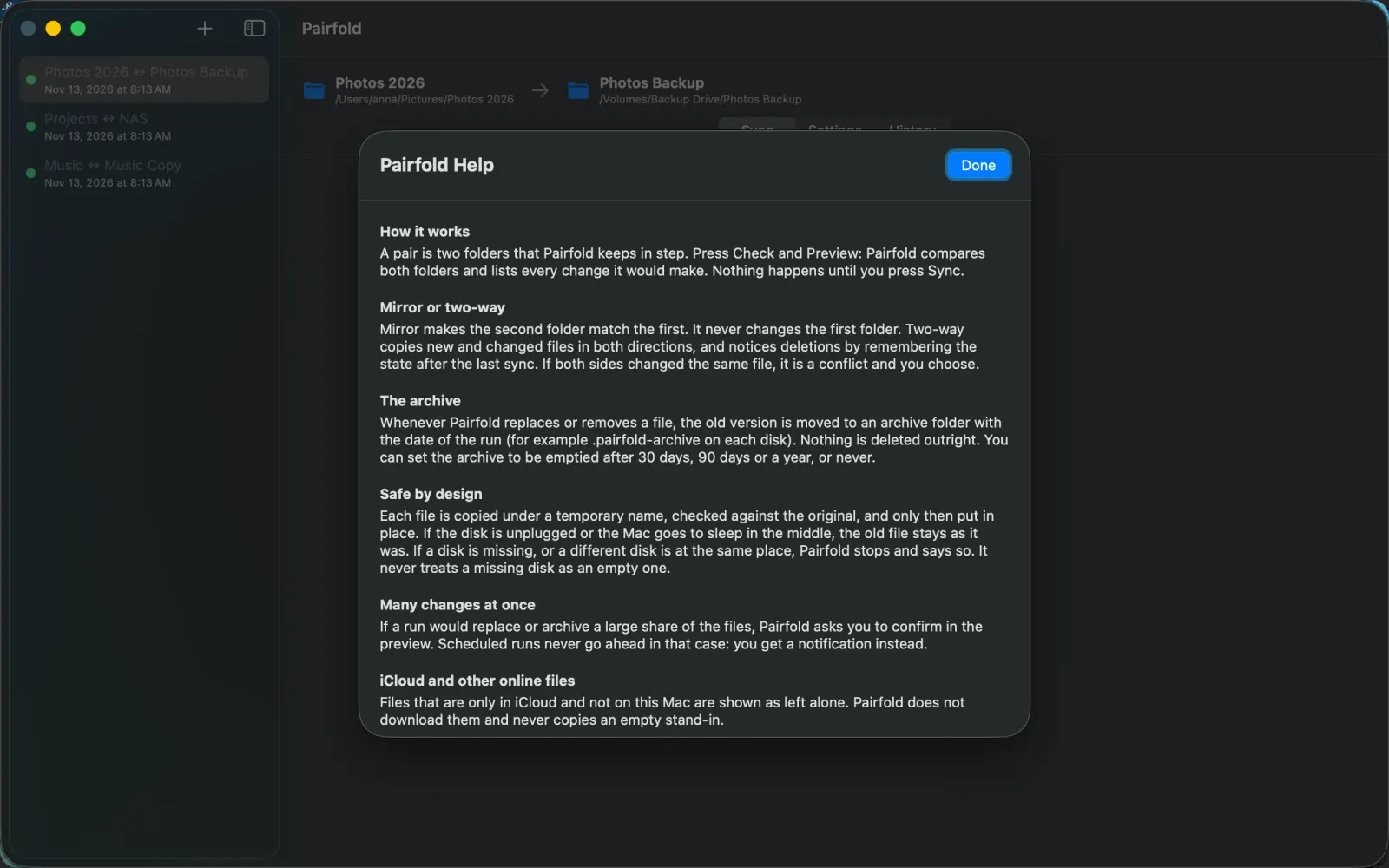
- An archive instead of deletes. Every replaced or removed file is moved to a dated archive folder. You can set the archive to be emptied after 30 days, 90 days or a year, or never.
- Mirror or two-way. Mirror makes the second folder match the first and never changes the first. Two-way copies new and changed files in both directions, notices deletions by remembering the state after the last sync, and asks you when both sides changed the same file.
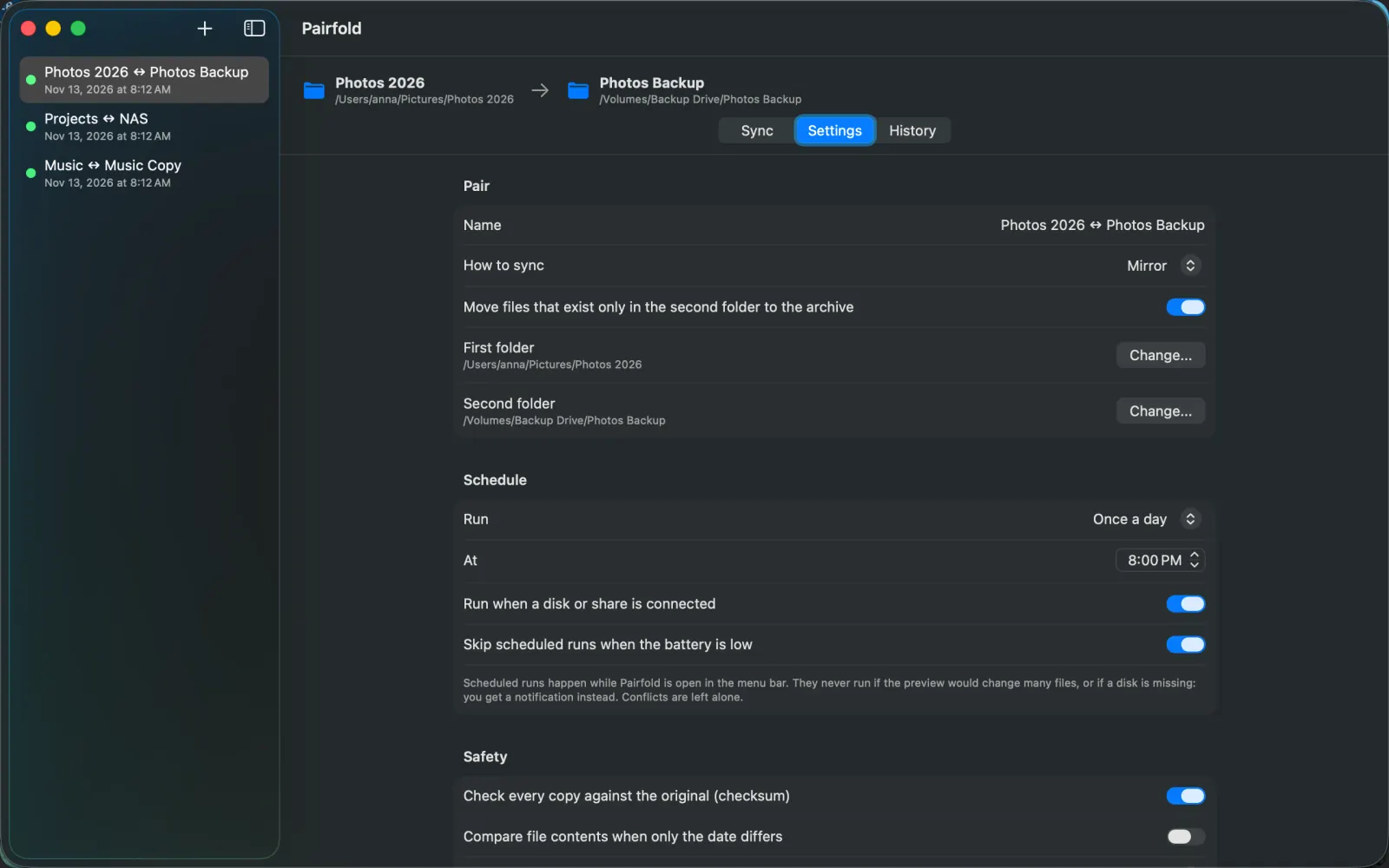
- Runs by itself. On a schedule, once a day, or when a disk or share is connected, from the menu bar. Opening Pairfold at login is optional and off until you turn it on. (In the download this needs a licence.)
- Checksum check. Every copy can be checked against the original. File dates, tags and extended attributes are kept.
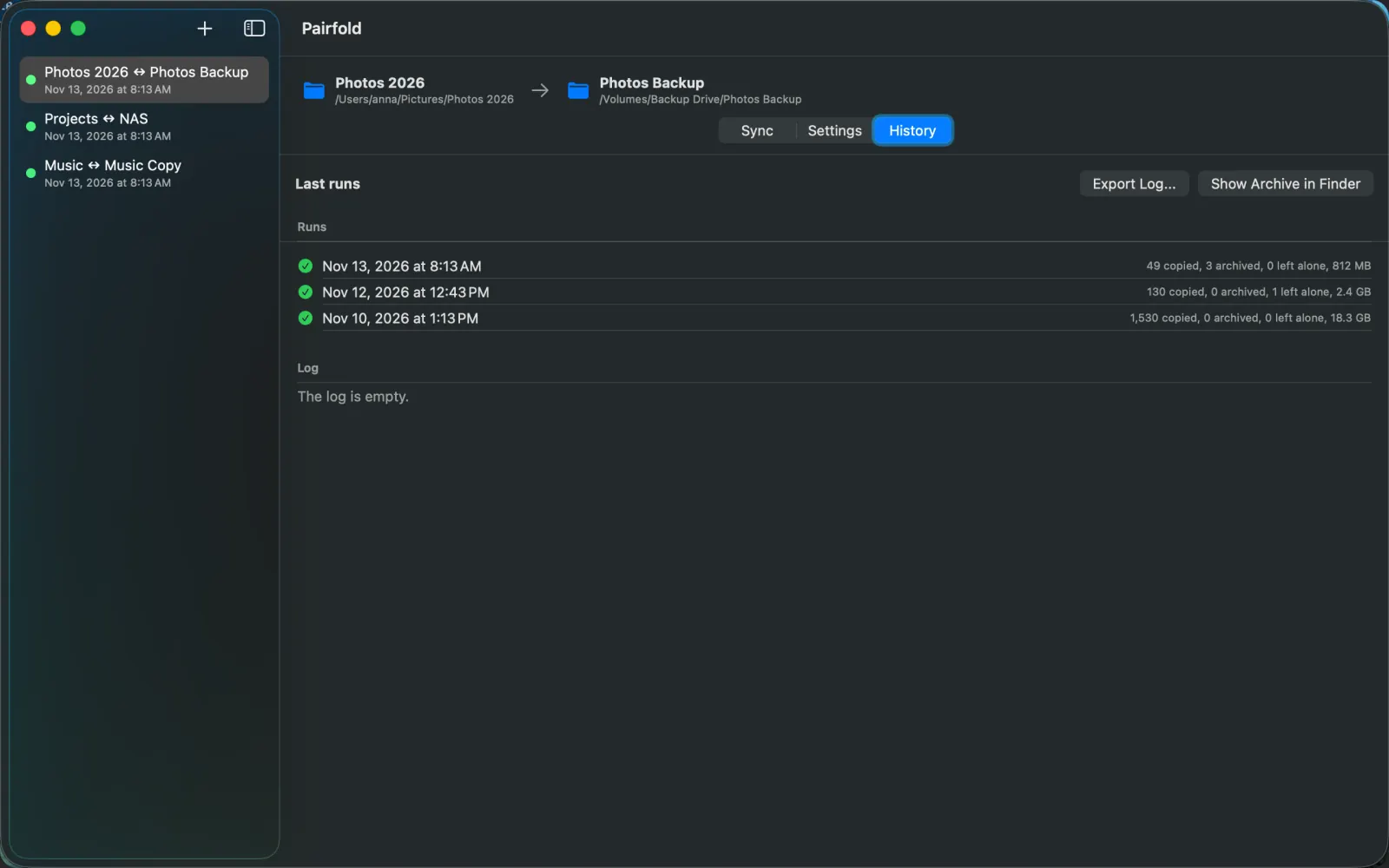
- History and log. Each pair lists its last runs (copied, archived, left alone, size) and a plain log you can export.
Safe when things go wrong
- Each file is copied under a temporary name, checked, and only then put in place. If the disk is unplugged or the Mac goes to sleep in the middle, the old file stays as it was.
- A missing disk is never read as an empty folder. If a disk is missing, or a different disk is at the same place, Pairfold stops and says so.
- A run that would replace or archive a large share of the files asks you to confirm in the preview. Scheduled runs never go ahead in that case: you get a notification instead.
- Files that are only in iCloud and not on the Mac are shown as left alone. Pairfold does not download them in bulk and never copies an empty stand-in.
- Files that change after the preview are skipped and reported, not copied half-way.
How it works
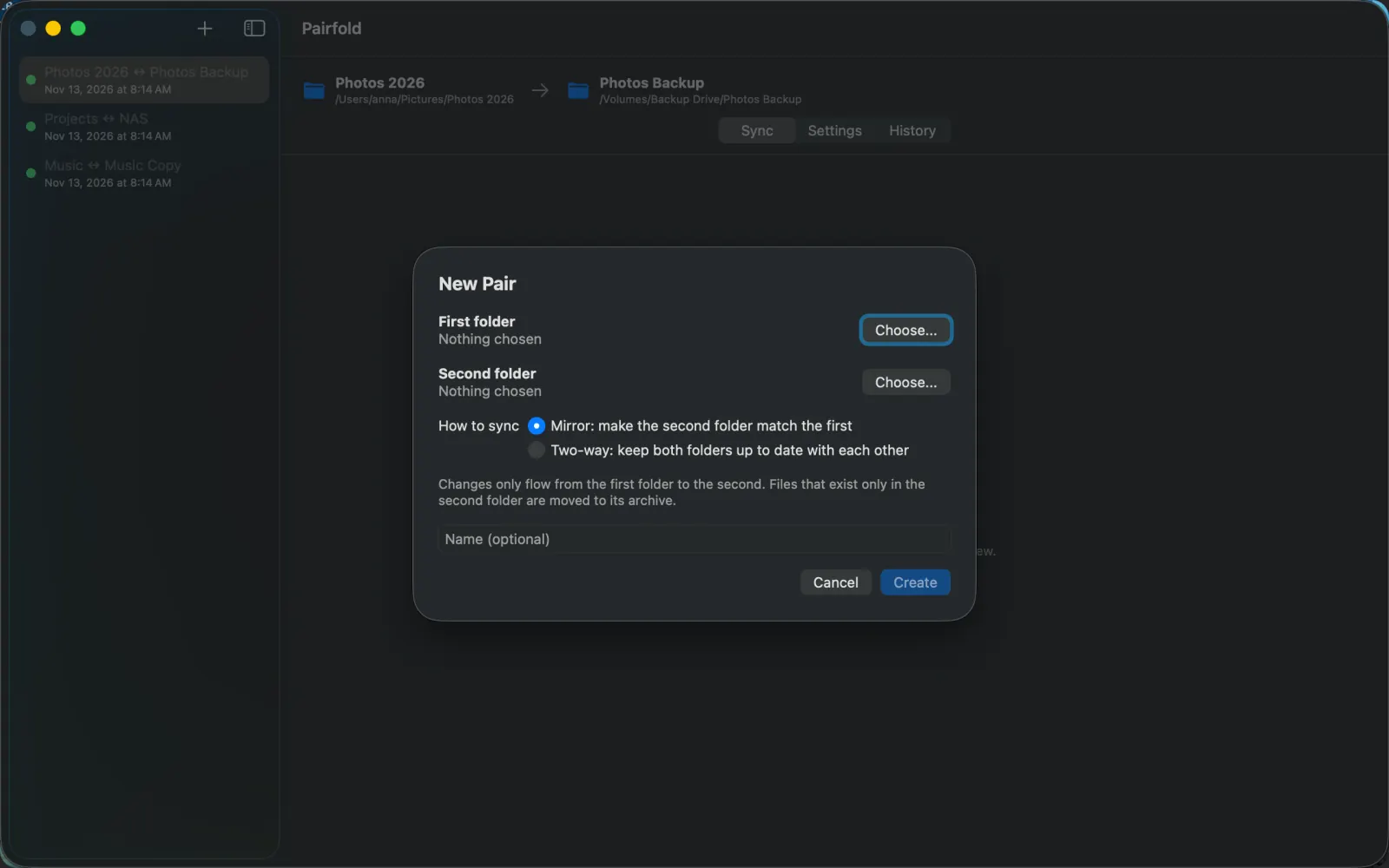
- New pair. Choose the first and the second folder, for example a folder on your Mac and a folder on an external drive or a network share you mounted in Finder.
- Choose how. Mirror (the second folder follows the first) or Two-way.
- Check and preview. Pairfold compares both folders and lists every change it would make.
- Sync. Pairfold runs exactly that list. Later runs can follow a schedule or start when the disk or share is connected.
See it working
The screenshots use made-up sample folders, taken from Pairfold 1.0.0 on macOS.
Limits
- Pairs of folders only. Pairfold does not connect to FTP, SFTP or cloud services by itself. A network share works when it is mounted in Finder and you choose a folder on it.
- Drives: APFS, Mac OS Extended, exFAT and FAT32, and network shares. FAT32 cannot hold files over 4 GB, and some names are not allowed on it: those items are listed as left alone.
- Scheduled runs and runs on connect happen while Pairfold is open in the menu bar.
- Pairfold is not a bootable clone and has no browser for old versions. The archive is a plain folder you open in Finder.
- macOS 26 or later.
Private
Pairfold reads and writes only the folders you choose and the archive folder you set. There is no account, no analytics and no crash reporting. The App Store version has no network access of its own and its privacy label says Data Not Collected. The download from this site goes online only to check your licence key and for updates. See the privacy policy.
Questions
Does Pairfold delete files? No file is deleted outright. When a file is replaced or removed, the old version goes to the archive folder.
Which drives work? APFS, Mac OS Extended, exFAT and FAT32 drives, and network shares mounted in Finder. FAT32 cannot hold files over 4 GB: those are listed as left alone.
Is it a subscription? No. USD 12.99 once, either on the Mac App Store or as a licence for the download from this site.
Is there a free version? Yes. The download syncs one folder pair by hand for free, with every preview and safety feature. A licence adds more pairs, schedules and runs on connect.
Does it need an account or the internet? No account. It only reads and writes the folders you choose; the download goes online only for the licence check and updates.
What happens if I unplug the drive during a run? The file being copied is not put in place and the old one stays. The next run cleans up and continues.
Where do I get help? Support or support@kayabyte.dev.
Download Pairfold (free) · Buy a licence, USD 12.99 · Mac App Store
Mac, macOS and Mac App Store are trademarks of Apple Inc. Kayabyte is not affiliated with or endorsed by Apple Inc.
Guides: sync and back up folders on a Mac · Help and setup · What's new