
AlbumRescue: See and Save What Is in a Photos Library
AlbumRescue is a Mac app that reads a Photos library on an external drive, from an old Mac, in a damaged copy or in a Time Machine backup. It shows the albums and photos it finds, compares them with another library, and saves them as folders with your original files, XMP sidecars and a report. It only reads: nothing in the library or the backup is changed, and nothing is written into Photos.
Download free · Pricing · macOS 15 or later
The scan, every list, the comparison and 10 saved photos are free. The full export is USD 34 once, for 2 Macs.
You may not need it
We would rather say this before you pay. Two free routes cover many cases:
- A healthy library on a drive: Photos can open it. Quit Photos, hold Option while opening it, and choose the library. See opening a library on an external drive.
- A library in Time Machine: Photos rebuilt albums, folders, captions, keywords and favourites by itself when we restored a real backup in our tests. See restoring a Photos library from Time Machine.
AlbumRescue adds three things: you see and compare what a library holds without restoring it or changing anything, you get plain folders with sidecar files that any app can use, and it reads copies Photos will not open.
What it does
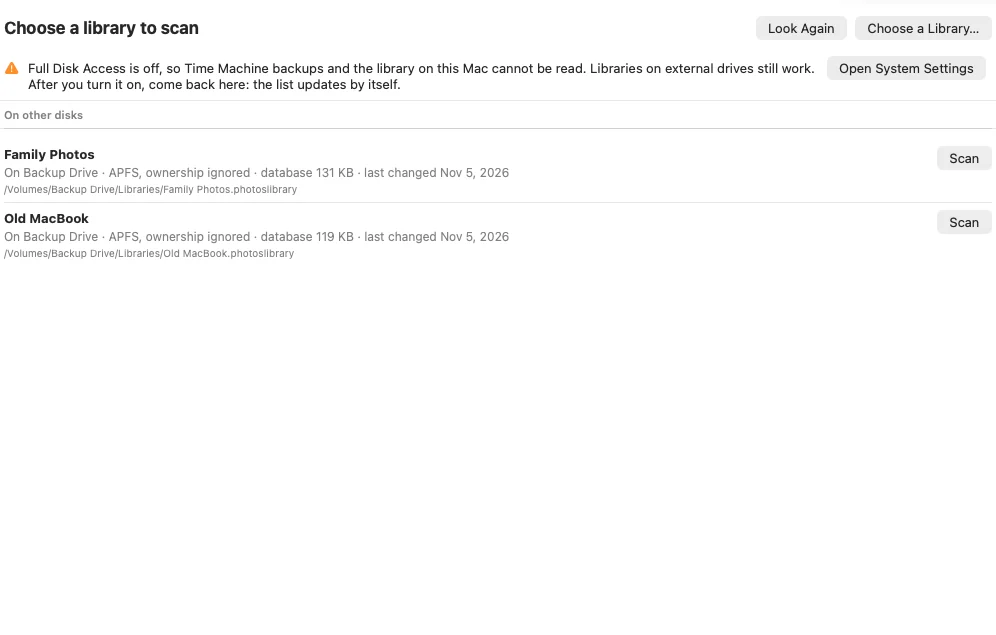
Finds libraries. On external drives, in Time Machine backups, in your Pictures folder, or wherever you point it. It can read a copy that lost its name extension. A locked encrypted volume is named so you can unlock it.
Reads without touching. It works from a private copy of the library’s database and never opens the library itself. When a database is damaged or missing, it falls back on the change journals kept inside the library, and on salvaging what it can from the database file.
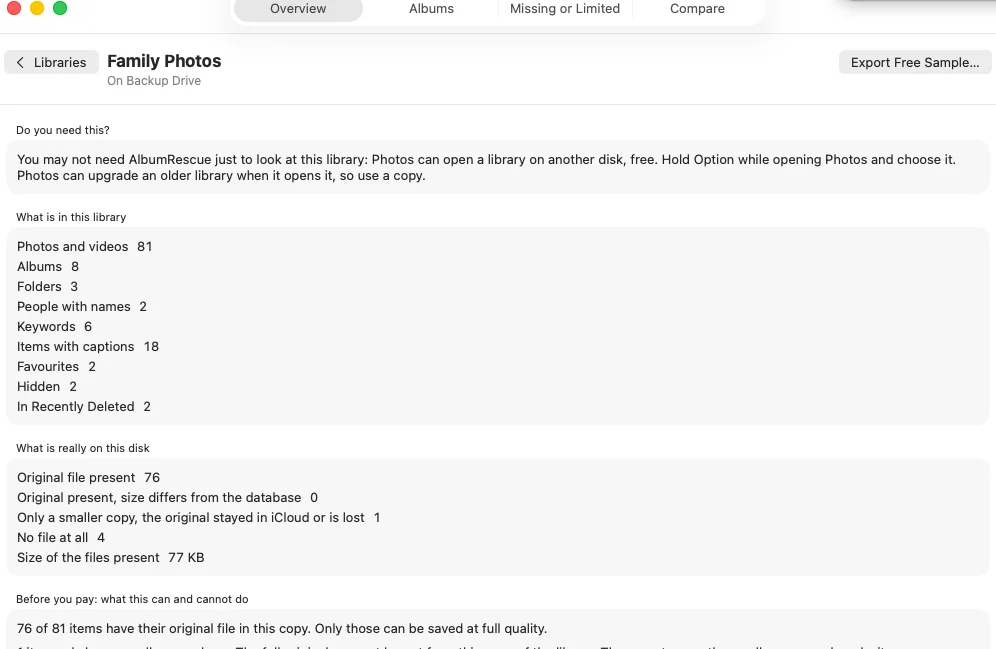
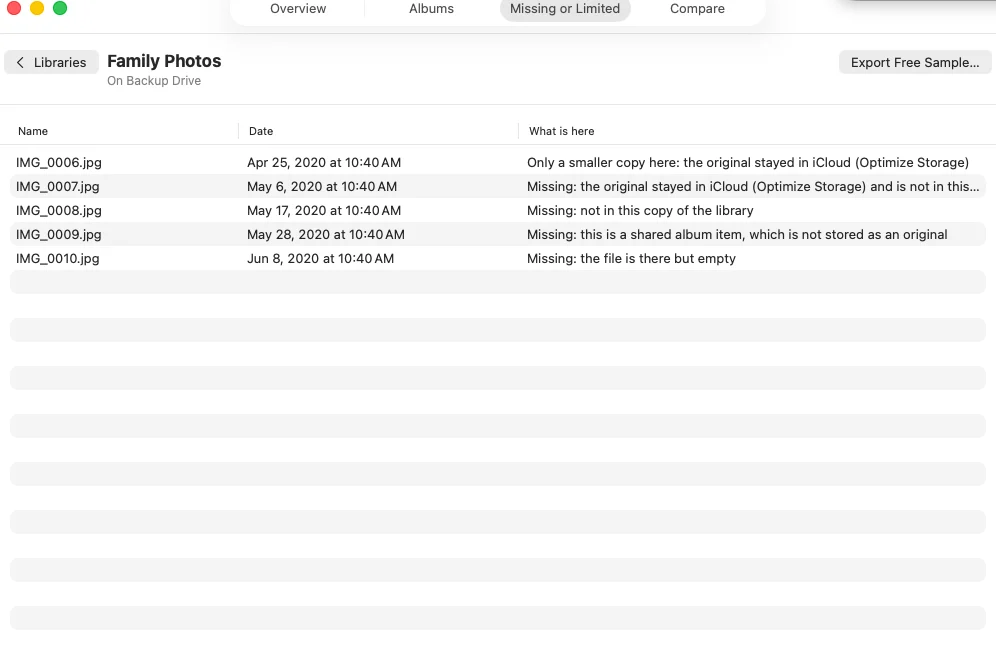
Shows what is really on this disk. For each item: original here, only a smaller copy here, only a still picture of a video, or nothing here at all, with the reason where it can tell.
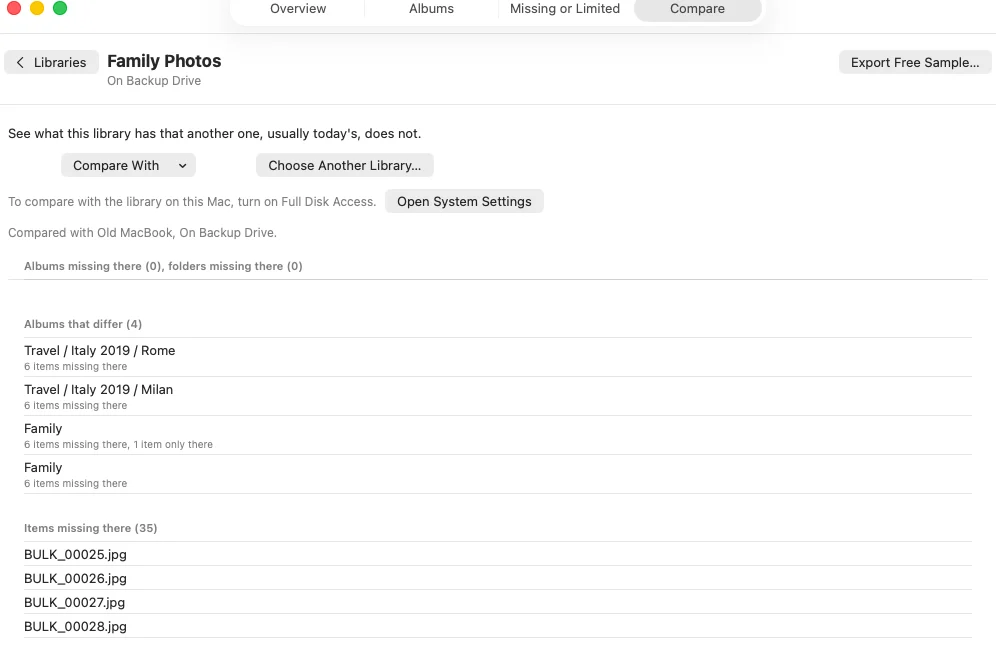
Compares. Albums, folders and items that one library has and the other does not, and those that differ. Usually that means the old copy against today’s library.
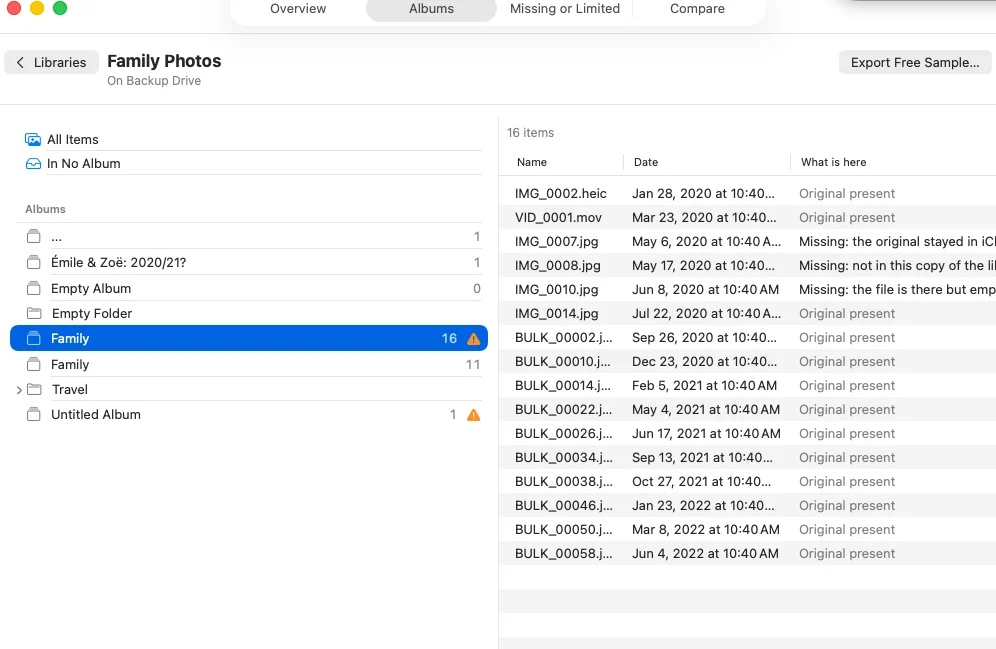
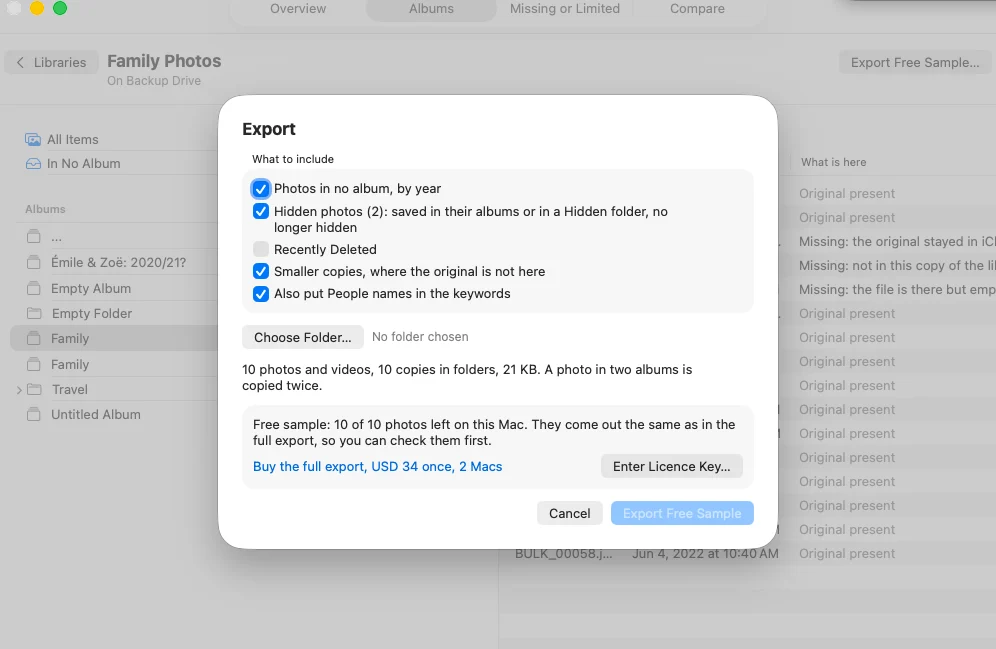
Saves folders. A folder tree named after your albums and album folders, with real copies of your original files, an XMP sidecar next to each (captions, keywords, favourites, dates), a CSV report and a read-me. Live Photos and RAW plus JPEG pairs keep both files. You can also include photos in no album (by year), hidden photos and Recently Deleted. A stopped export continues where it stopped.
Guides: export albums to folders, a library that could not be opened, a library from an old Mac.
See it working
The screenshots use made-up sample libraries, taken from AlbumRescue 1.0.0.
What it cannot do
The app says all of this before you pay, on your own library.
- It does not write into Photos. Albums and People do not go back into Photos through AlbumRescue. You get folders.
- It cannot get originals that are not in the copy. With Optimize Mac Storage on, originals stay in iCloud and the library holds smaller copies. AlbumRescue never talks to iCloud. It can save the smaller copy and marks it as one. A video may have only a still picture.
- Edits are not exported. You get the original file as it was imported, not the version you edited in Photos.
- People names are not read from journals. Time Machine copies, and libraries whose database is gone, carry no People names that we could verify. From a working database names can go into the sidecars, but no library in our tests had a named person, so treat that as untested.
- Not in this version: shared albums, album order in file names, iPhoto libraries and libraries from macOS 10.14 or earlier. Smart albums are rules, so they are named in the report but not exported as folders.
- A damaged library can lose things. Where damage removes the link between a photo and an album, that can be lost without a count per photo. The report says so.
- Older backups. On an APFS Time Machine disk, only the latest backups are found directly. For an older date, open it in Time Machine first.
Where it was tested
Real libraries: one on macOS 27.2 (numbers and structure only) and one on macOS 26.6.2 made by real Photos, read on APFS, encrypted APFS, HFS+ and exFAT volumes and from a real Time Machine backup. All counts and values matched the live library in those tests. Libraries from older macOS versions were tested only with synthetic test libraries built to match, so an unusual older library could behave differently. Drive removal, full disks, read-only volumes and resuming were tested on disk images.
Private
Everything stays on your Mac. No account, no upload, no AI, no usage analytics. The app goes online only to check a licence and to look for updates. It needs Full Disk Access to read Time Machine backups and the library on this Mac, and it uses it only to read; for a library on an external drive you can choose the library yourself without it. See the privacy policy.
Pricing
- Free: the scan, all lists, the comparison, and 10 photos really saved, exactly as the full export saves them.
- Full export: USD 34 one time, for 2 Macs, with one year of updates; the app keeps working after that. 30-day money-back.
Questions
Can AlbumRescue put my albums back into Photos? No. It does not write into Photos. If you want albums back inside Photos from a Time Machine copy, Photos itself can do that for free: see the Time Machine guide.
Can it get my photos from iCloud? No. It only reads what is in the copy of the library you give it. If Optimize Mac Storage kept the originals in iCloud, the scan tells you, and they cannot be saved from this copy.
Does it work with a library on an external drive? Yes: APFS, encrypted APFS once unlocked, HFS+ and exFAT, including read-only volumes and volumes with ownership ignored. See the external drive guide.
Does it open or change my library? No. It copies the library’s database to a private place and reads the copy. Your library and backup are only read.
Does Time Machine back up my albums? On the Macs we checked, Time Machine leaves out the library’s database folder but keeps its change journals, and those hold albums, captions, keywords and favourites. See the Time Machine guide.
How does it compare with Photos Takeout, PowerPhotos, Photo Library Export and osxphotos? They are good choices for a working library, and some cost less or can fetch iCloud originals, which AlbumRescue cannot. See the comparison.
Does it use AI? No. It uses fixed rules, and nothing is sent anywhere.
Is it affiliated with Apple? No. AlbumRescue is made by Kayabyte.
Guides and comparisons
- All guides
- Photos library on an external drive won’t open
- Photos library could not be opened, or repair failed
- Restore a Photos library from Time Machine
- Export Photos albums to folders on a Mac
- Open a Photos library from an old Mac
- AlbumRescue vs Photos Takeout, PowerPhotos, Photo Library Export and osxphotos
Support
Help and setup · What’s new · Email support@kayabyte.dev. AlbumRescue is made by Kayabyte in Oslo, Norway. See also the terms of service and refund policy.
Apple, Mac, macOS, iCloud and Time Machine are trademarks of Apple Inc. Photos Takeout, PowerPhotos, Photo Library Export and osxphotos belong to their owners. AlbumRescue is not affiliated with, endorsed by or sponsored by any of them.