
Portfolio Roadmap & Timeline for monday.com
One sorted, grouped, read-only timeline across all your monday.com boards. Use it as a board view or a dashboard widget, keep the priority order your leadership wants, see what slipped since the last plan, and share it with people who have no monday seat.
Install Portfolio Roadmap & Timeline on your monday.com account · free plan available
What it does
- A portfolio view on any monday plan. monday.com’s own portfolio solution is available on the Enterprise plan. This app works on any plan that can install apps.
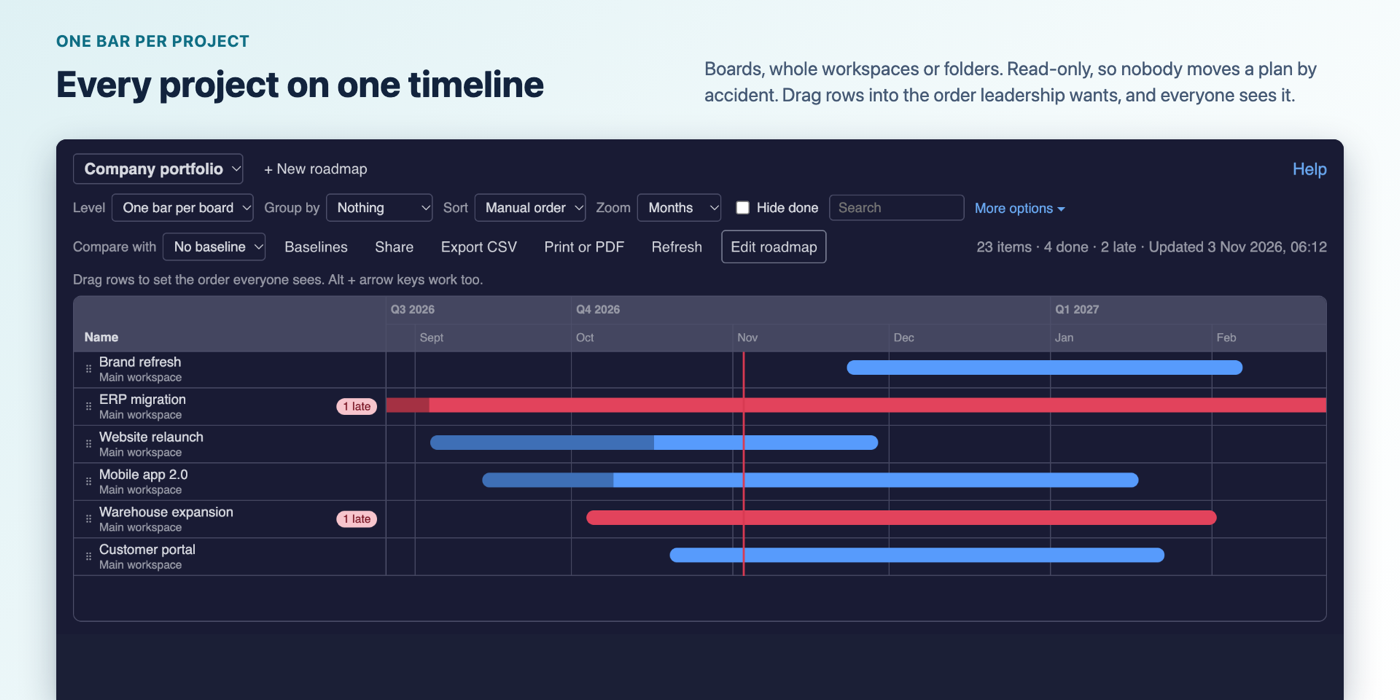
- Many boards, one timeline. Choose boards, whole workspaces or whole folders, up to 500 boards per roadmap on Business (5 on Free, 25 on Basic, 100 on Pro). New boards in a workspace join by themselves. A name filter and an exclude list keep templates out.
- Sort across boards. By start date, end date, name or board, earliest or latest first.
- Group any way. Board, workspace, folder, group, status, owner, start or end month or quarter, or a column your boards share.
- A saved priority order. Drag rows or use Alt + arrow keys. The owner and admins set it, everyone sees it.
- Item, group or board level. One bar per board shows the project’s span, how much is done and how many items are late.
- Baselines and “what slipped”. Save the dates of every item across all boards. Compare later: a thin bar shows the old dates, each row shows days moved, and a list shows what moved later, earlier, was added or removed. Pro can take a baseline every Monday or on the 1st.
- A link for people without a seat. Read-only, no login. Hide owner names, set an expiry, replace it or turn it off. The page shows only boards the person who created the link can open.
- Print, PDF and CSV. A landscape page to print or save as PDF, and a CSV of what you see.
- Read-only. The app has no write permission. It can’t change your boards.
- Everyone sees only what they may see. Private boards and closed workspaces stay hidden from people who aren’t on them.
- Ask Sidekick. How the portfolio stands, what is late or due soon, what slipped. Read-only, on monday’s AI credits.
- Five languages. English, German, Spanish, French and Portuguese.
How to use it
- Install the app, open a board, click + in the view bar and choose Apps > Portfolio Roadmap. To put it on a dashboard, add the Portfolio Roadmap widget.
- An account admin clicks Authorize once.
- Click New roadmap, name it and choose boards, workspaces or folders.
- Choose the level, grouping and sort. Save this view keeps them for everyone.
Get started · Pricing · FAQ
Guides
- How to get a portfolio view in monday.com
- Gantt chart across multiple boards in monday.com
- How to share a monday.com roadmap with people who have no seat
- How to see what slipped across monday.com boards
Questions: support@kayabyte.dev